I have not written about the way I managed information and research for my essay but one of the Learning Outcomes stipulates we should demonstrate if and how we used applications to support our work – so here it is.
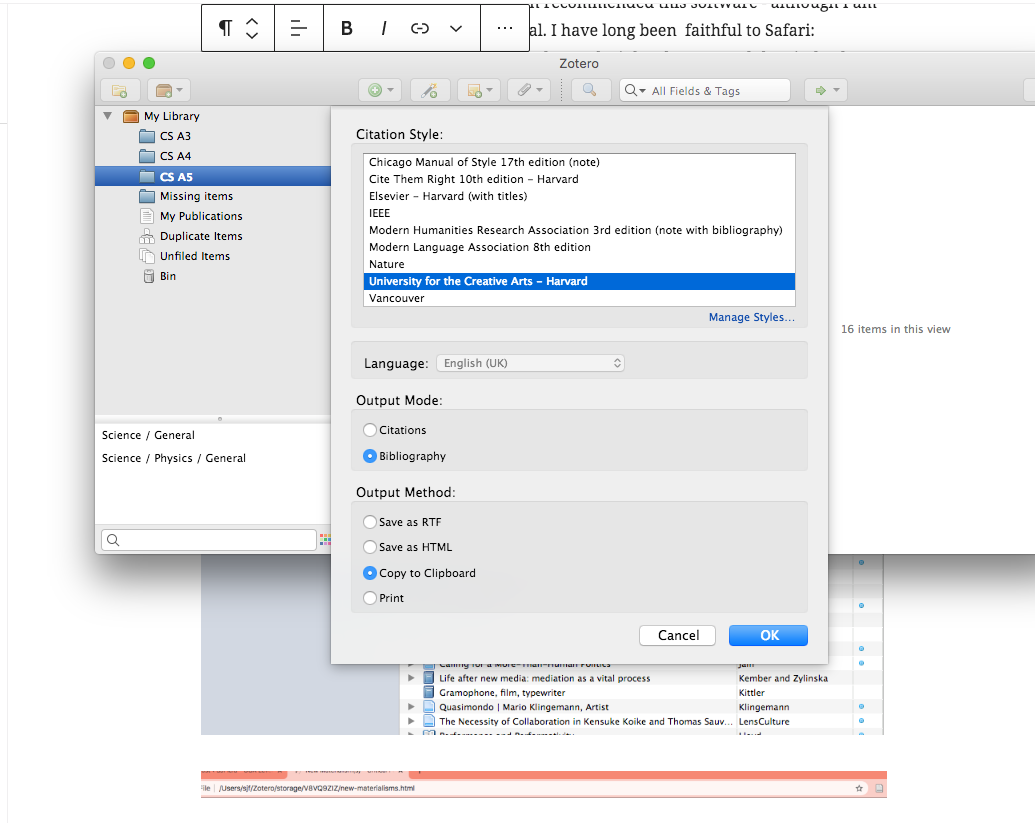
Zotero: Without Zotero, I would have found managing the overwhelming number of texts challenging. I was very pleased to have been recommended this software – although I am certain I did not make use of its full potential. I have long been faithful to Safari – however, so many coders seemed determined to make it hard to use and they indeed don’t help themselves. Zotero cannot be integrated with Safari, so I have gradually moved over to Chrome which can be, meaning you can simply click on a button in Chrome while looking at a webpage and it will store the information available – although, you must double check it’s all there and sometimes do a little bit of digging yourself. It was nevertheless very useful and saved a lot of time, especially when it came to compiling the bibliography (see last Zotero screenshot below, click on them to view).


Google docs
I have always used Microsoft Word but have lately found Google Docs more useful especially when receiving feedback, help with proofreading or citations style. As much as I’d like to avoid being a slave to Google – I have been grateful for its usefulness and suspect I will use it more and more if I continue academic study. I have made full use of its sharing documents facility.
WordPress blog
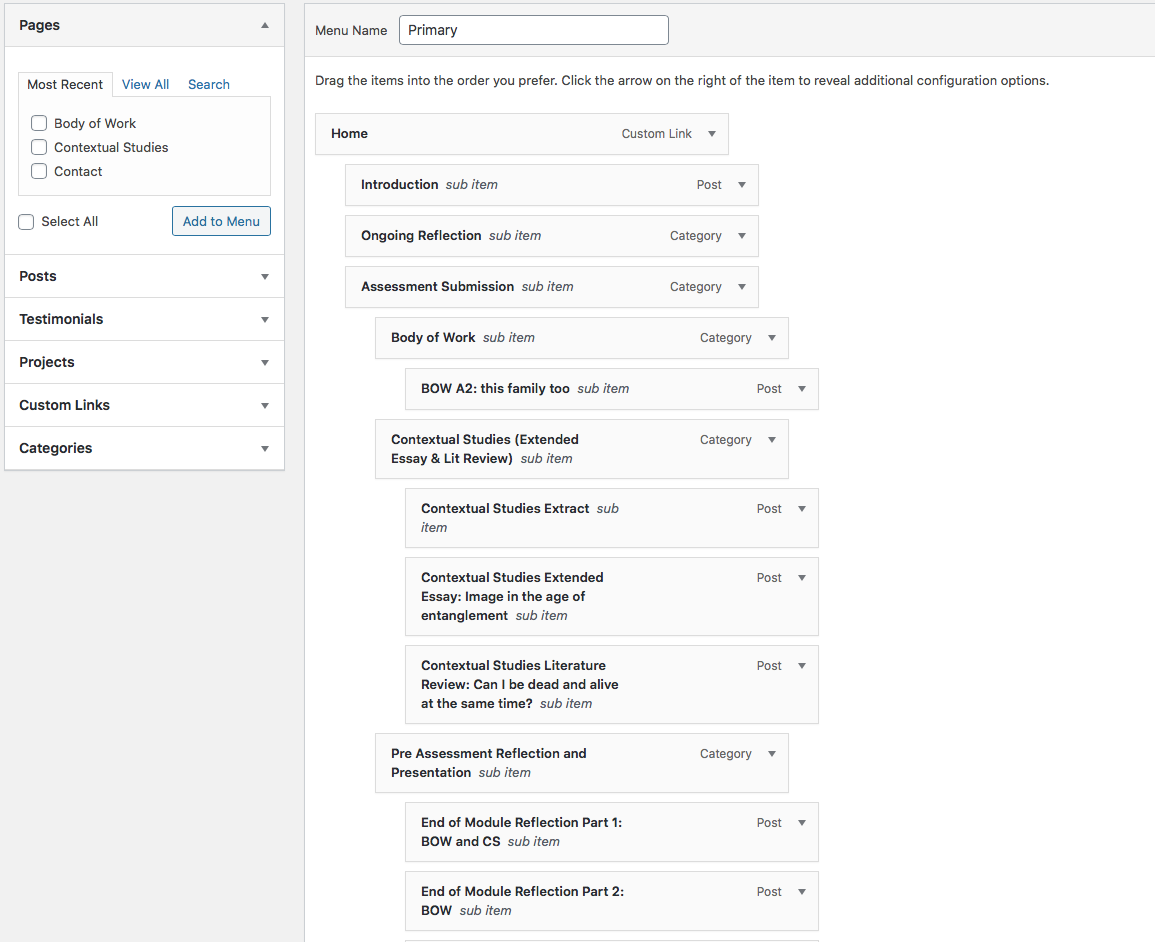
My blog and writing is extremely important to my process. One of the difficult things with this is reconciling the blog’s dual function as my digital note book and a means of presenting my ongoing development to others (tutors/students). Nevertheless, over the last few years, I have learned to label posts helpfully (although still sometimes forget) and use tags and categories. I suspect my menu-management is probably quite unnecessarily labour intensive and I can’t help thinking there must be a better way – however, I move certain posts into sections so they can be easily found rather than simply relying on categories that will pull up a string of related posts. The recent updates on WordPress will take time to get used to but I think there are some more helpful ways to store and track information available now. (Click in screenshots to view.)

Notes on my phone
I use the notes facility on my phone a great deal – making notes on the train, at night, storing things links etc.

Finally, I am aware that there are other apps designed to help store information, and file and categorise it, such as Mendeley. But I have found the system I using fine and am not sure I can cope with any more apps – although I still do sometimes read things and then wish I’d stored it as can’t recall what or where I might have seen it – which is frustrating. However, the more I get into the habit of recording links/making screenshots, the less that happens.
Grammerly and Outwrite
I use the free versions of both the above writing checkers on different platforms (even then, I make plenty of mistakes, but they are both super useful for me and probable undiagnosed dyslexia). I paid for a month’s subscription for Outwrite while going over the essay in the last few weeks. I find Outwrite more reliable. However, even then, I often don’t see mistakes until I look at a published document on a handheld device and have to do a final edit again.
Social Media
God, I hate Instagram. It’s awful. It’s reductive, superficial, cliquey and addictive. If it were not for this course (and my dying photography business – not much call for event photography and corporate headshots in the time of a highly infectious killing disease), I might have abandoned it altogether before now. However, both those needs keep me involved. A year or so ago, I set up a new IG account with my actual name attached (previously it was simply my initials). I had been using it to promote commercial stuff but not with the same commitment I approached IG with back in 2014/5 (when I was depressed so social media provided a good hidling place – ironically). At the beginning of lockdown I deleted anything too twee from it and started using it exclusively. I have played the social media game in the past but it takes up too much time and energy and there are better things to be doing with my time. Neverthless, I have been using it more energetically in the last few weeks to try and promote my not terribly commercial project for the sake of SYP. I use this is a promotional tool as I prepare for the final module. I should also start using my Sketchbook WordPress more too as that is good for generating views/SEO/directing people to your website/SM (it doesn’t strip exif data which other sites do). I am not so good with Twitter but am trying and have tended to use FB for commercial promotion (headshots, kids’ pics, corporate), but since that has died, I will likely use it to promote this work more.
https://www.instagram.com/sarahjane.field/
 SJField - OCA Level Three Study Blog
On my list of things to do is to start looking at learning outcomes – interesting to see how you’re dealing with CS. Much of my documentation, including notes and ideas are included in Zotero as note. So I didn’t use my blog that much for the CS work. Was thinking about making my Zotero available to be viewed online but that requires a user to subscribe with a specific email address (perhaps could log OCA assessment). Alternatively, there’s maybe a way of dumping Zotero into a long pdf. Not that anyone would necessarily read it, but to ‘evidence’ the work done.
LikeLike
Well, there’s still much to do. Apparently providing an A4 page with a brief para and links to relevant posts is a good idea so I guess I’ll add that to the top of the menu system on my blog and provide ad a pdf in the drive. Plus I wrote a CS reflection, then removed from the menu (but still left it on the blog) but will probably give it an edit and put it back. I quite like the new assessment process but it is intensive – might be good in future to have these LOs to hand from the start of the course so it’s possible to categorise posts as you go and pick from clearly identified items – as I’ve had to rummage through my blog which took a time. I was thinking of creating long pdfs for each LO but they didn’t format well and couldn’t figure out how to rectify that but links probably better anyway. You sound like you used Zotero far more productively than me.
LikeLike